

View, store, and arrange images on your computer. Zoom pictures in and out, customize the background, canvas, border, and text color, crop, normalize, and align photos and tweak their height or width parameters. Reset the camera, embed local images in saved files, redo and undo actions.
PureRef is intended to collect, organize, and keep track of your favorite images. This way, you will always have them at hand for reuse or simply as a source of inspiration. The program is therefore ideal for designers and developers.
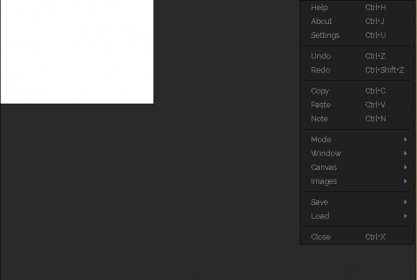
The tool has an extremely minimalistic interface. Thus, all that is displayed is a canvas on which the previously imported images are shown. Any operation must be done via the context menu. I must confess that, despite my experience as a software reviewer, I felt quite lost at first. In this regard, the only help available was a prompt, explaining how to import the images. Eventually, I found my way, based on trial and error.
PureRef organizes the images in a sort of albums, which it calls scenes. Fortunately, you can populate a scene by dragging images from practically anywhere, which can be files or directly from a Web page, for example. Likewise, the tool allows you to paste any image stored in the clipboard. Scenes, as well as all images or only selected ones, can be saved to disk.
Good news is that the program is sufficiently unobtrusive, and does not disrupt your normal workflow at all. In this regard, the window can be configured to always remain on top. However, if you still find it annoying, you can make it semi-transparent. more






Comments